The Git Commands I Run Before Reading Any Code
Five Git history queries provide a fast risk map for an unfamiliar codebase: churn hotspots, concentrated ownership, recurring bug locations, delivery momentum, and firefighting patterns.
The Git Commands I Run Before Reading Any Code
Author: Ally Piechowski | Published: 2026-04-08 | Generated: 2026-04-08 | Domain: piechowski.io
Tags: ‘#git’ ‘#codebase-audit’ ‘#technical-debt’ ‘#legacy-code’ ‘#engineering’
TLDR
Before opening source files in a new codebase, inspect Git history to identify where change, defects, ownership risk, delivery slowdowns, and operational crises concentrate. The five commands are deliberately lightweight diagnostics rather than definitive measurements: cross-reference churn with bug-related commits, account for workflow artifacts such as squash merges, and validate patterns with the team. Used together, they prioritize what code to inspect first and expose organizational risks that code alone cannot show.
Key Takeaways
- Find churn hotspots first:
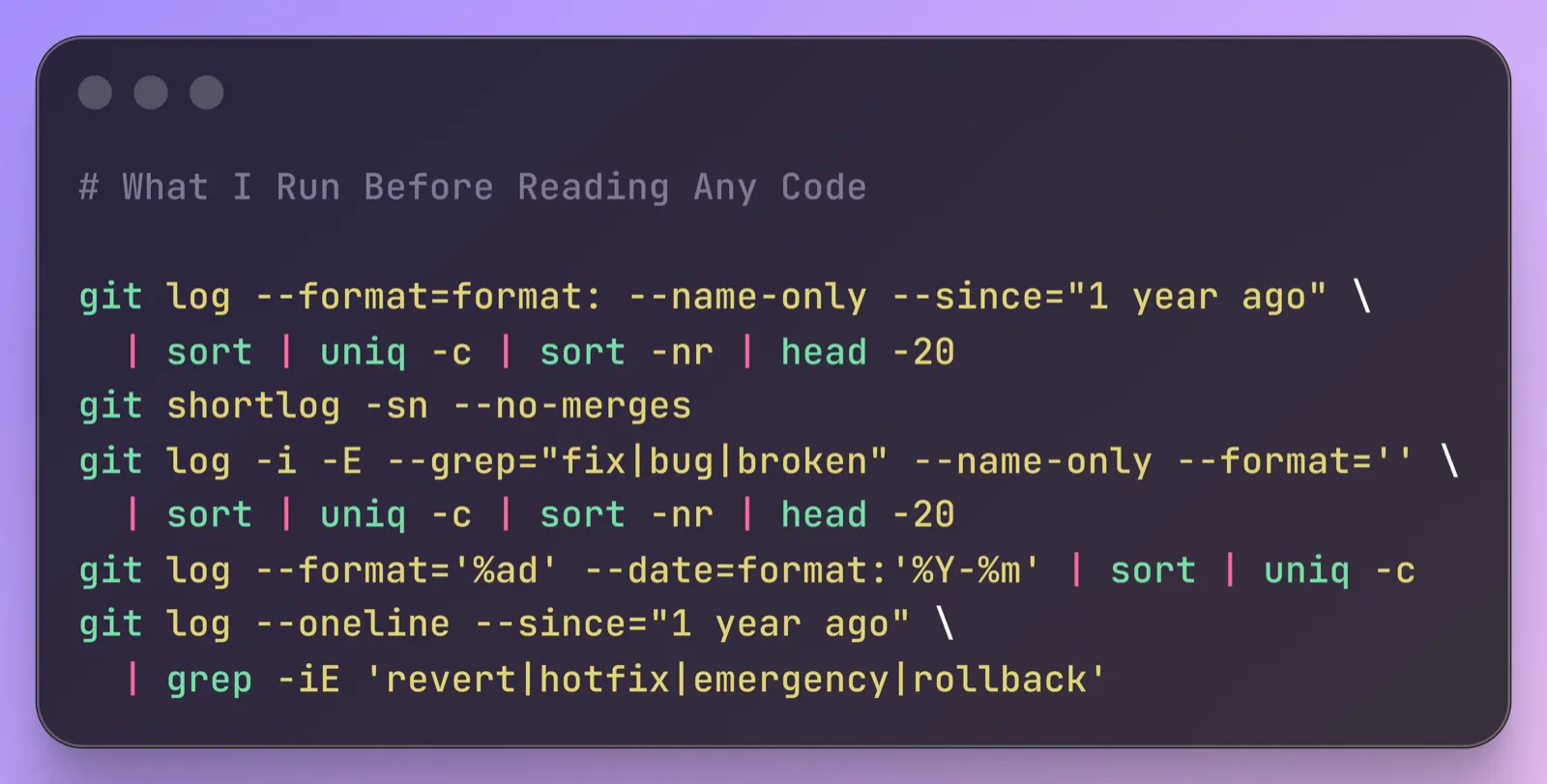
git log --format=format: --name-only --since="1 year ago" | sort | uniq -c | sort -nr | head -20lists frequently changed files; run it fromapp/orsrc/to avoid lockfiles, generated files, and changelogs dominating results. - Combine churn with defect signals: Absolute churn alone is a weak predictor of defects; a 2005 Microsoft Research study found that churn normalized by component size predicts defect density better. Files ranking highly for both churn and bug-related commits are the largest risks.
- Assess ownership and bus factor:
git shortlog -sn --no-mergesranks contributors by commit count. One person responsible for 60%+ of commits, particularly if inactive or departed, represents a serious knowledge-concentration risk; squash merges can make this measure reflect merger rather than author. - Map bug-prone files:
git log -i -E --grep="fix|bug|broken" --name-only --format='' | sort | uniq -c | sort -nr | head -20surfaces files repeatedly touched in bug-fix commits, though its usefulness depends on descriptive commit messages. - Read team health in history: Monthly commit counts reveal steady delivery, abrupt staff-loss effects, long-term momentum decline, or batch-release cycles. Frequent
revert,hotfix,emergency, orrollbackcommits may signal unreliable tests, inadequate staging, or difficult deployment rollbacks.
Images & Media
- The Git Commands I Run Before Reading Any Code cover image — Article cover illustration.
Referenced Links
- Use of Relative Code Churn Measures to Predict System Defect Density — Microsoft Research study on relative code churn and defect-density prediction.
- Your Code as a Crime Scene — Adam Tornhill’s methodology for churn-based code analysis with complexity overlays.
- Why Your Engineering Team Is Slow (It’s the Codebase, Not the People) — Related discussion of codebase drag and deploy fear.
- How I Audit a Legacy Rails Codebase in the First Week — Full codebase-audit process that uses these commands during its first hour.